Features

A speed dial that feels at home in Firefox

Tiles from your bookmarks, pictures of the pages you actually see, and settings that show you the result before you save. Here's the tour.

The dial

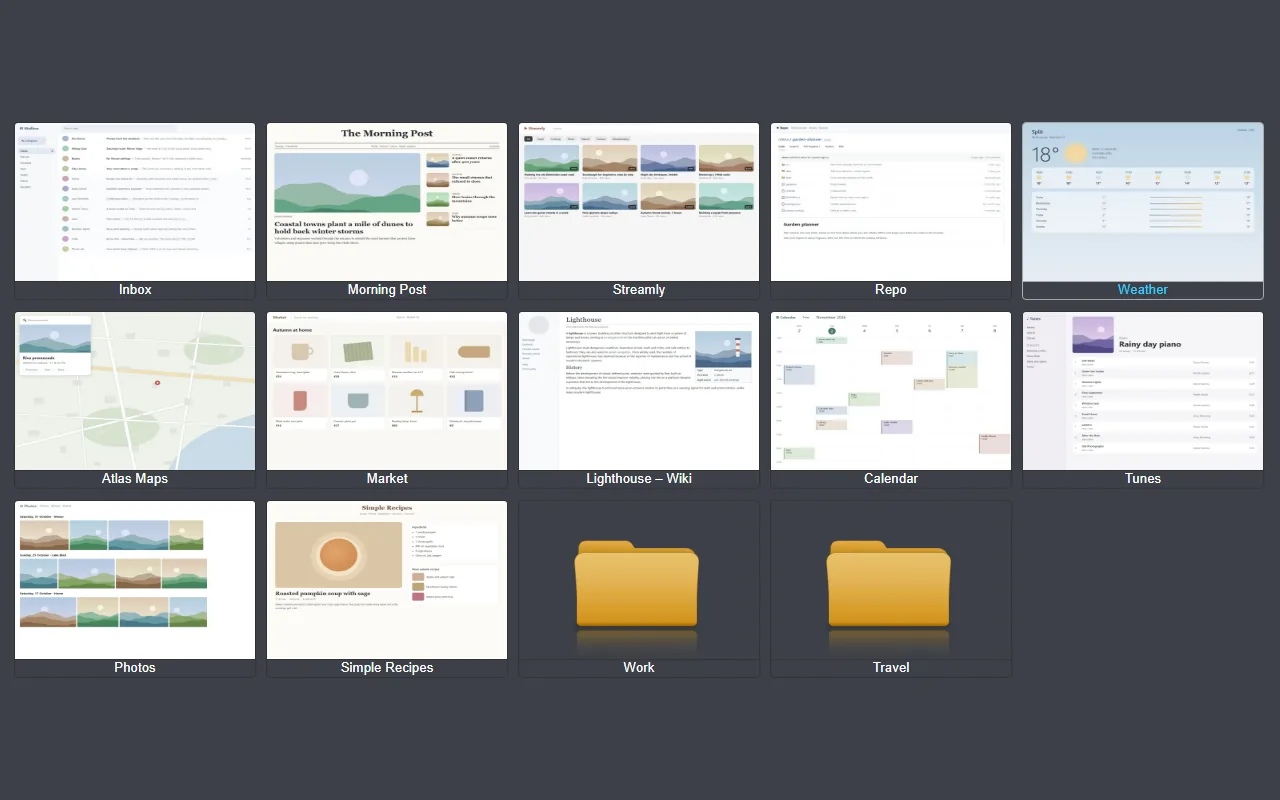
Tiles you arrange right on the page

Each tile is a bookmark in the "Quick Dial" folder. Subfolders become folder tiles you can open like any other. Right-click anywhere on the page for the menu.

  • New bookmark, new folder, delete open in-page dialogs, and new bookmarks have their address checked.
  • Drag tiles into any cell; gaps stay where you leave them.
  • Choose where tiles open: the same tab, a new tab or a background tab.
The dial in the Classic theme with site pictures and folder tiles
Pictures

The page as you see it, signed in

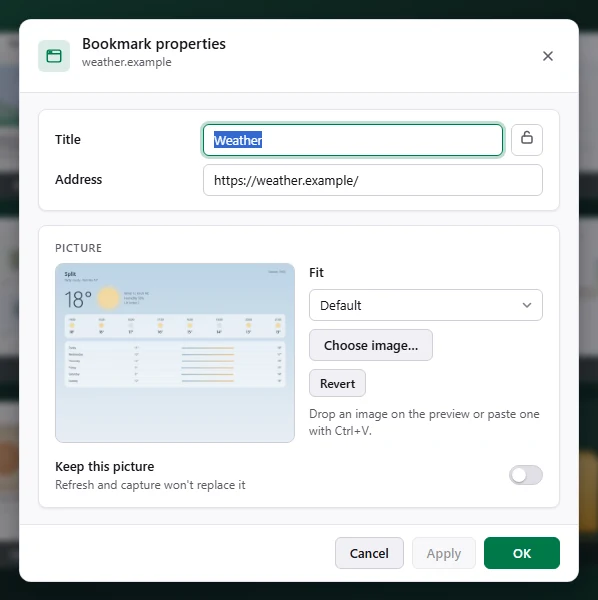
Capture in a new tab opens the site in a background tab, takes a screenshot of what you'd see there, signed in to your accounts, and closes the tab again.

  • Or bring your own: choose a file, drag one onto the dialog or paste with Ctrl+V.
  • Keep a picture so it's never replaced by a refresh.
  • WebP, resized to 1200 px at most, so pictures take a fraction of the space.
Bookmark properties: title, address and picture with a preview that follows the Fit setting
Tile styles

See it before you apply it

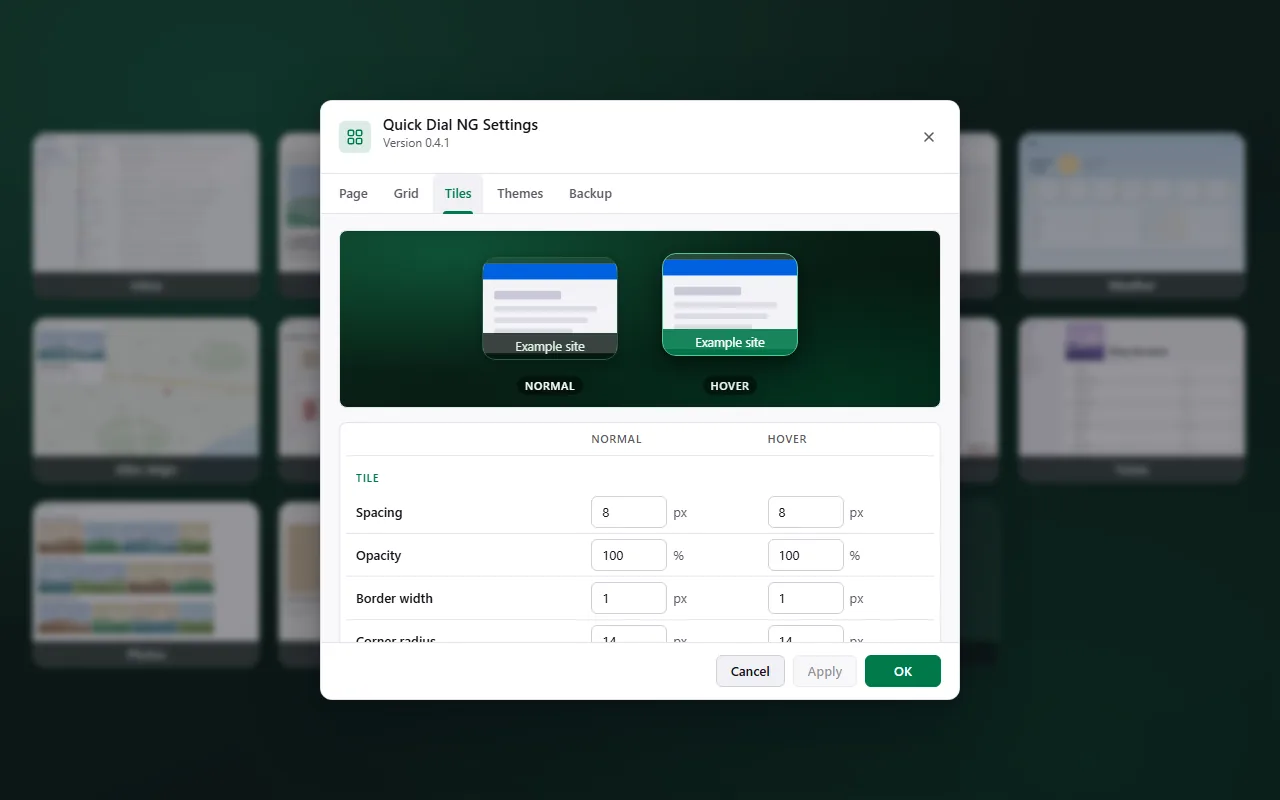
The Tiles tab has a live preview of the normal and hover look. Every change shows there first; Apply lights up only when something is unsaved.

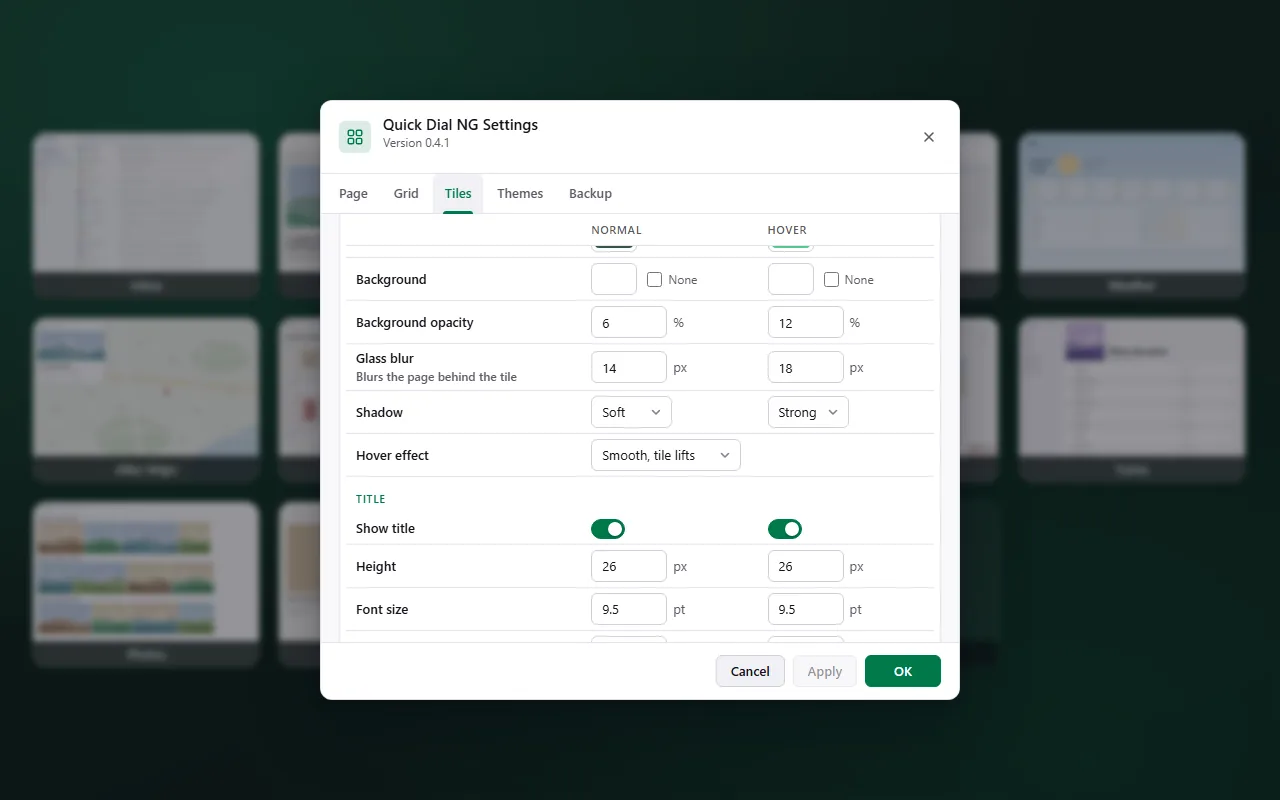
  • Glass: background opacity and blur for tiles and titles.
  • Depth: shadows and smooth hover effects, lift or grow.
  • Titles: font, bold, and titles over the picture.
  • Shape: spacing, border width and corner radius, separately for hover.
Settings, Tiles tab with a live preview of the normal and hover tile
Themes

Two built in. As many of your own as you like.

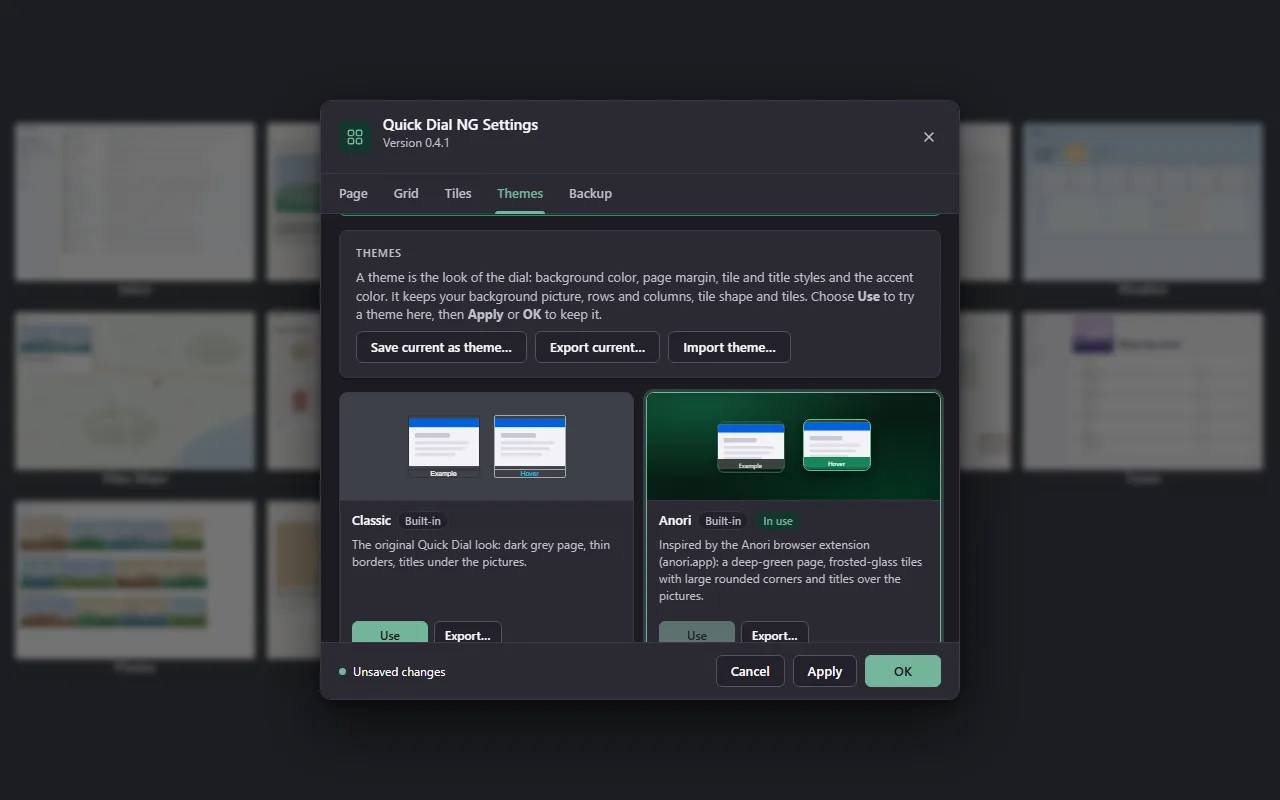
Classic is the original Quick Dial look. Anori, inspired by the Anori extension, has a deep green page, frosted-glass tiles, large rounded corners and titles over the pictures.

  • Use previews a theme inside Settings; OK puts it on the dial, Cancel keeps your look.
  • Save current as theme, then export it to a .json file to share.
  • A theme never changes your background picture, grid or tiles.
Tile style settings: glass blur, background opacity, shadows, hover effects and title settings
Page & grid

Your background, your grid

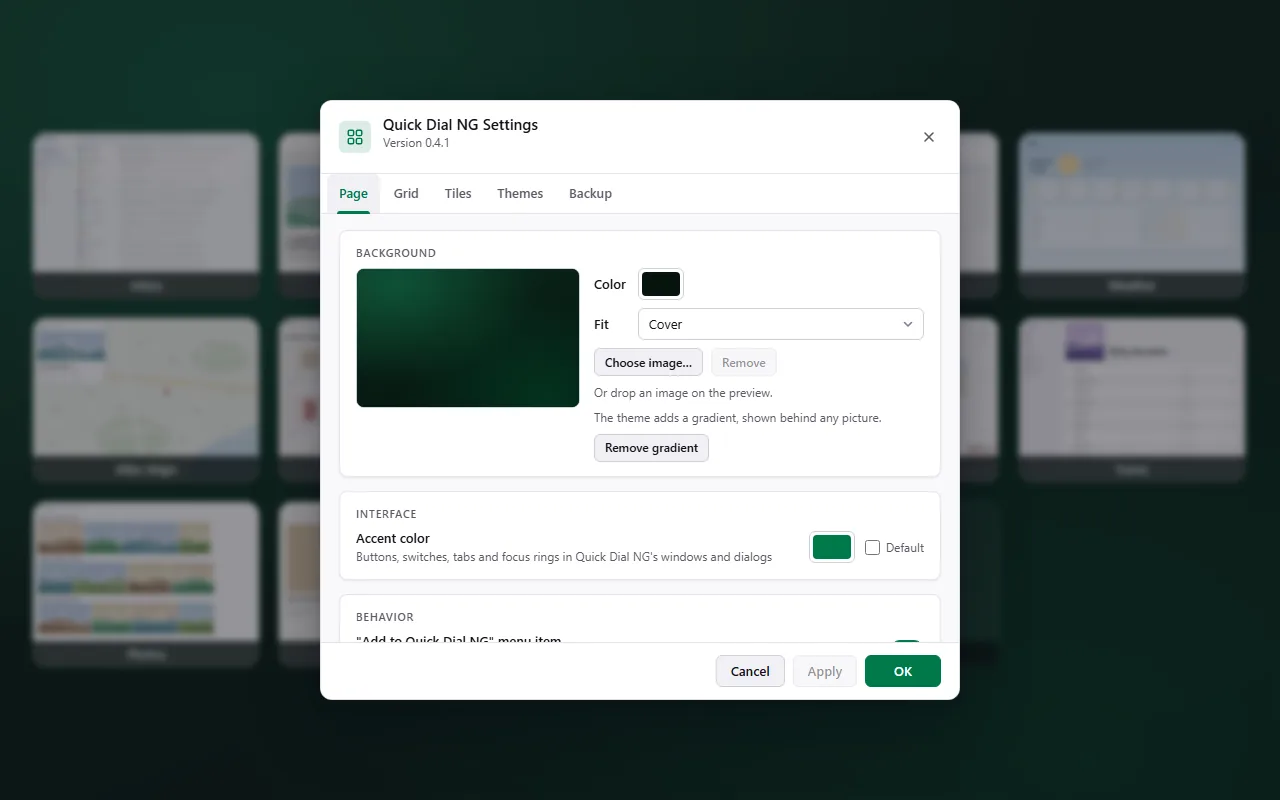
Pick a background colour, gradient or picture, the number of rows and columns, the tile shape and page margin, and which bookmarks folder the dial shows.

  • Accent colour for buttons, switches, tabs and focus rings in Quick Dial NG's windows.
  • Light and dark: Settings, Properties and dialogs follow Firefox.
Settings, Page tab: background colour, picture or gradient and the accent colour
Dark mode

Matches Firefox, day and night

Every window of Quick Dial NG has a light and a dark version and switches with Firefox's theme. The toolbar icon is monochrome and follows it too.

Settings in dark mode, Themes tab
Under the hood

What's different from Quick Dial 0.1.24

Pictures stored separately

The original kept every picture in one big record that Firefox read and rewrote at every start: 21 MB with 73 tiles. Now each picture has its own key and the start record is a few KB. The page loads only the pictures it shows.

WebP instead of PNG

Captures and uploads are saved as WebP and uploads are capped at 1200 px. On a real profile, 10.5 MB of pictures became about 1.5 MB, with no visible difference at tile size.

Saves only real changes

Saves are batched and skipped when nothing changed, so a normal start writes nothing. Bookmark changes outside the Quick Dial folder are ignored.

Unused pictures removed

When a tile is deleted, its folder removed, its address changed or the root folder switched, its picture goes too.

Home page, no timer

Instead of swapping blank tabs for the dial after a delay, Quick Dial NG is the home page. The start tab begins loading at 0.8 s instead of 2.1 s.

Refresh that never hangs

Firefox no longer lets extensions draw pages the old way, so Refresh used to spin forever. Now it finishes, and the page it downloads runs in a sandbox.

Try it on your own bookmarks

Install in one click; your existing Quick Dial tiles come along with the import.